
This blog explains what a stream URL link is, how it works, and its role in modern media streaming, covering types, technologies, benefits, and best practices for using stream links safely and effectively.
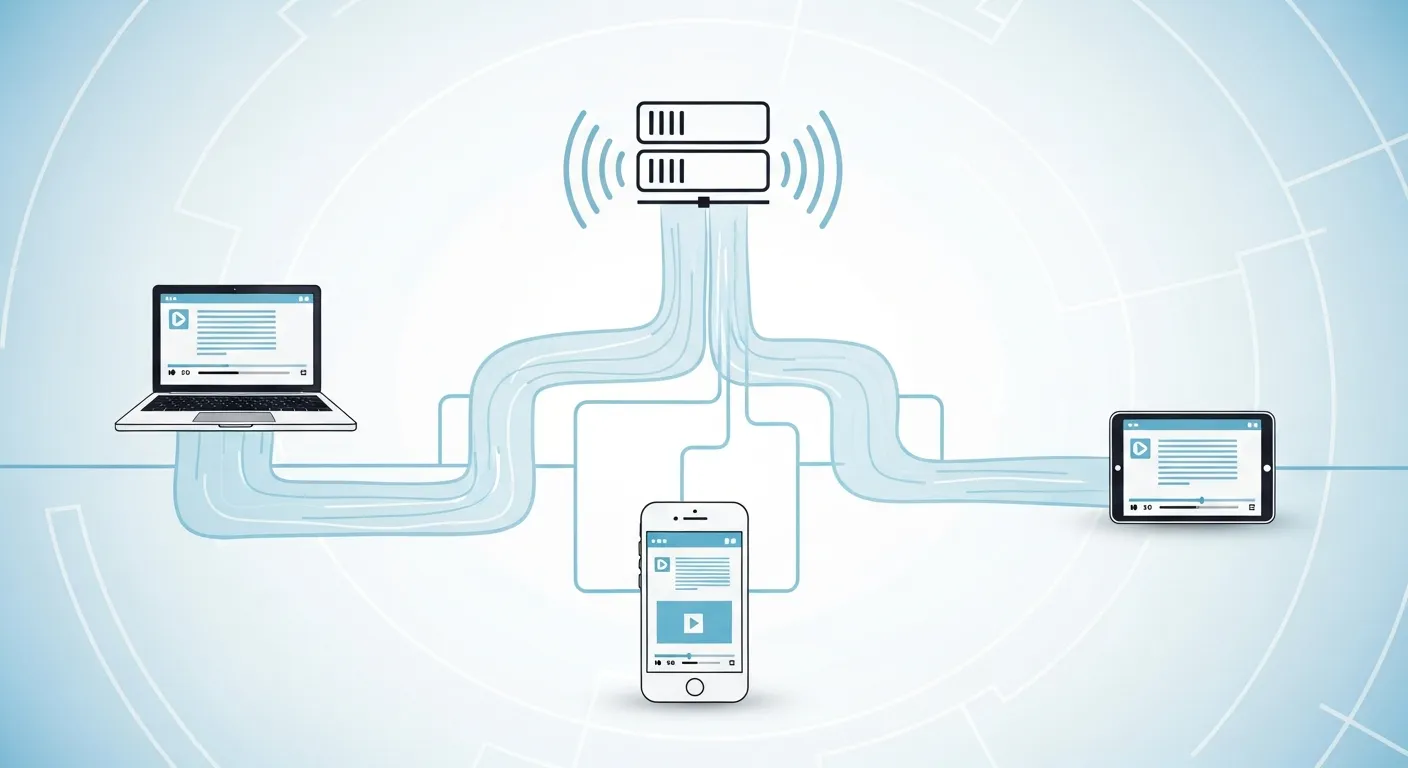
You click a button, and instantly a video starts playing. Behind that simple action lies a complex network of technology, and at the heart of it all is the stream url link. These digital addresses act as the invisible bridges connecting media servers to your personal devices. They allow for seamless audio and video playback without the need to download massive files.
Understanding how a stream url link functions can completely change the way you interact with digital media. For content creators, mastering a stream url link means gaining the ability to broadcast content globally with minimal friction. For developers and tech enthusiasts, it unlocks new ways to embed, manipulate, and optimize media delivery across various platforms.
This guide breaks down exactly what a stream url link is, how it operates under the hood, and why it matters so much in modern media consumption. We will explore the different types of streams, the underlying technologies that make them work, and the best practices for finding and using a stream url link legally and effectively.
What Exactly is a Stream URL Link?
A stream url link is a specific web address that points directly to a continuous feed of digital media data. It operates differently than a static webpage or a traditional downloadable file. When your media player accesses a stream url link, it begins requesting small chunks of the media file from a dedicated server.
The server delivers these data packets in real-time, allowing you to watch or listen immediately. Finding a reliable video stream URL online allows users to bypass heavy downloads. You simply click the stream url link and let your media player do the heavy lifting. Every stream url link serves as a set of instructions, telling your browser exactly where to find the video or audio packets and how to sequence them.
Using a stream url link efficiently means you can jump to any timestamp in a video. You do not have to wait for the preceding data to load. This makes a stream url link the absolute standard for modern digital entertainment.
How Does a Stream URL Link Work?
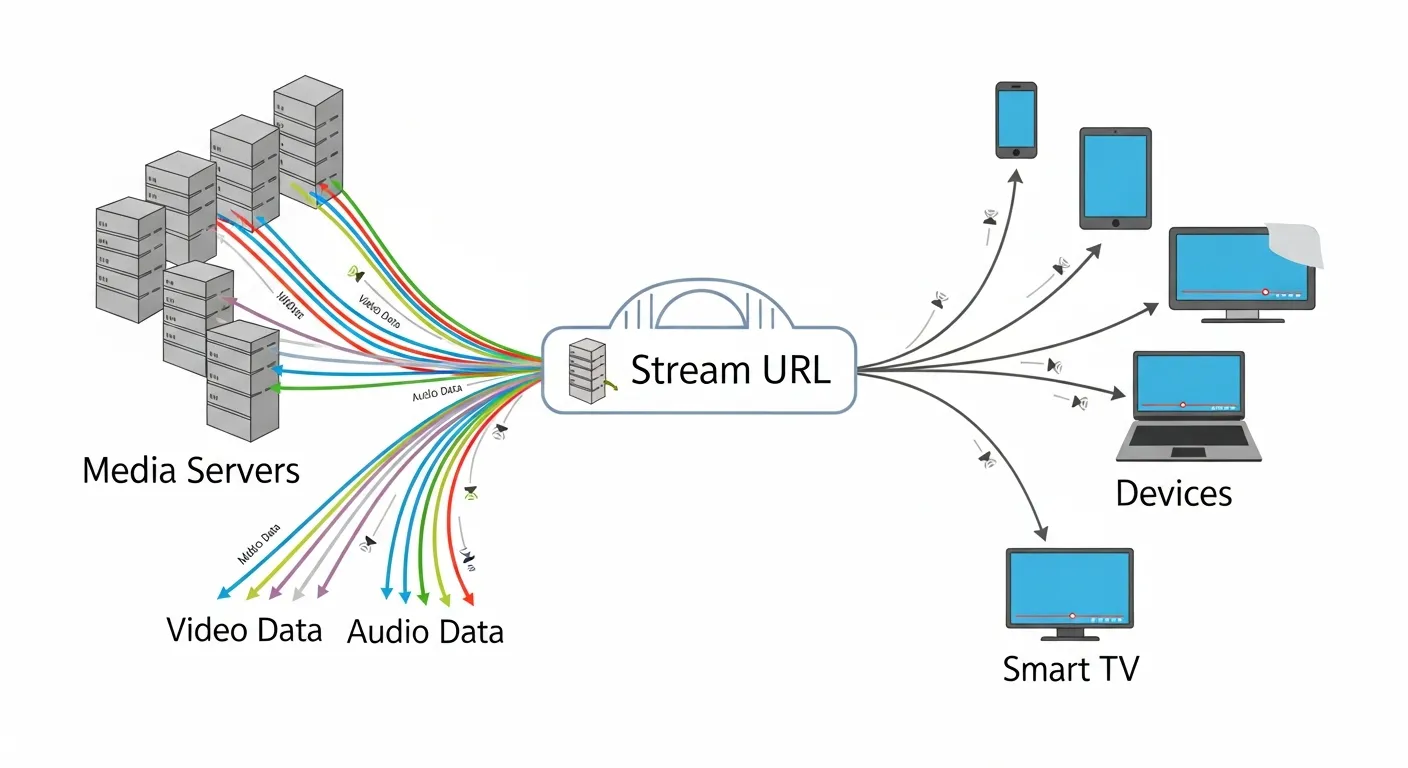
The process begins when a source computer or server hosts a media file. Instead of forcing the user’s device to download an entire gigabyte-sized file, the server breaks the video or audio into tiny segments. The stream url link points to a playlist file or a direct feed. This feed instructs the media player on how to assemble and play these segments in sequence.
As you watch or listen, your device constantly buffers the next few seconds of data. It simultaneously discards the data you have already consumed to free up memory. A stream url link ensures this constant cycle of downloading, playing, and discarding happens in milliseconds.
This entire mechanism relies on the stability of the stream url link provided by the host. If the stream url link breaks, the playback immediately halts. Maintaining a steady connection to the stream url link is vital for uninterrupted viewing.
The Importance of a Stream URL Link in Modern Media
Media consumption has shifted entirely toward instant access. A stream url link is the definitive backbone of this massive shift. A stream url link powers everything from your weekend Netflix binges to live sports broadcasts and interactive gaming streams.
Without a specific stream url link, real-time broadcasting and instant on-demand viewing would be impossible. We would be forced back to the era of waiting hours for a single movie to download. Every time you open a media app, a hidden stream url link connects you to the content.
This technology has revolutionized global communication. A stream url link enables instant news delivery, remote education, and global corporate meetings. The versatility of a stream url link makes it the most important tool in digital broadcasting.
Exploring the Types of Stream URL Links
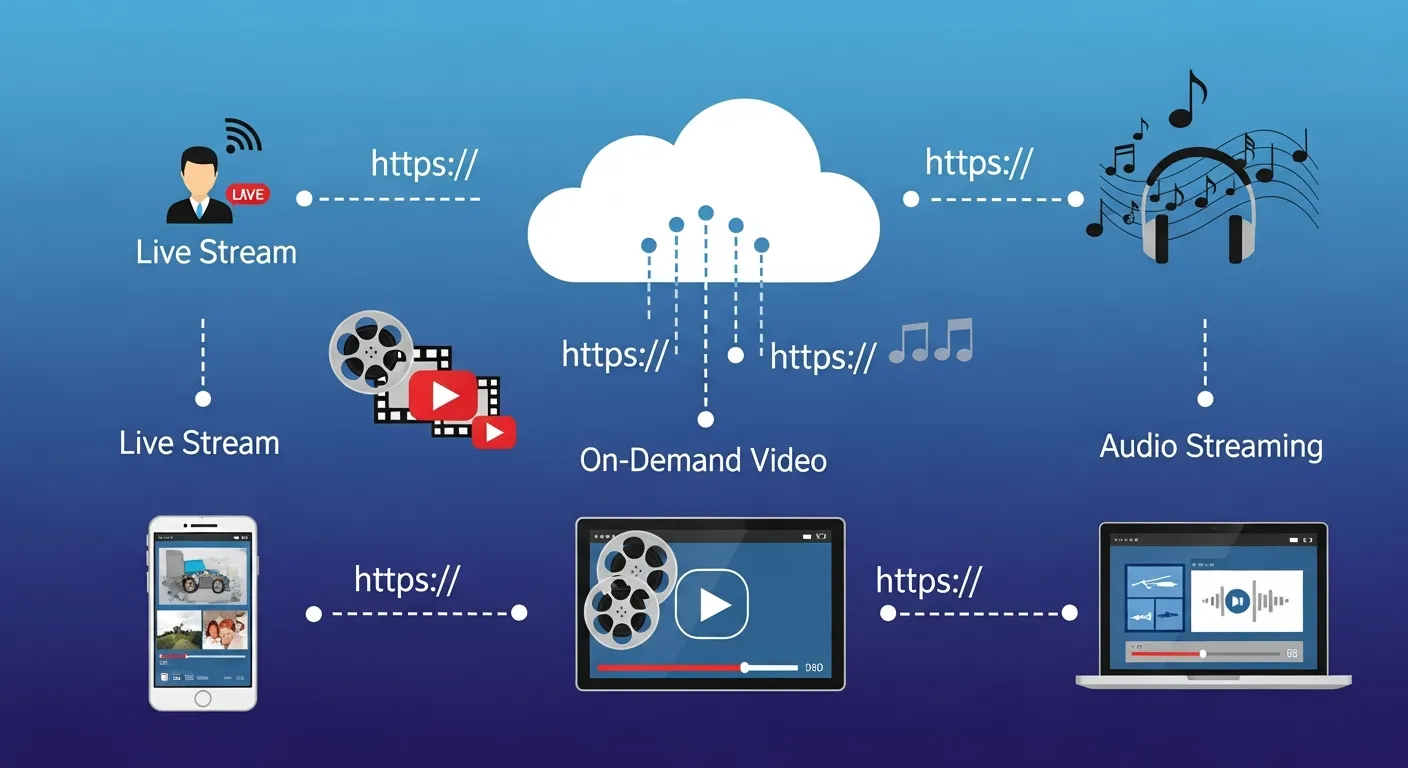
Not all stream links are created equal. The type of stream url link you encounter usually depends on the nature of the content being delivered. Understanding the variations of a stream url link helps you choose the right tools for playback.
Live Streams
Live stream URLs point to media that is being encoded and broadcast in real-time. This includes sporting events, live news broadcasts, and webinars. Because the event is happening right now, the stream url link must handle a continuous, unpredictable flow of data.
If your internet connection drops, you might miss a crucial moment because the live feed keeps moving forward. A live stream url link requires robust server architecture to handle thousands of concurrent viewers. Broadcasters rely on a reliable stream url link to ensure their audience stays connected.
On-Demand Streams
On-demand streams refer to pre-recorded content hosted on a server. Think of movies, television series, and podcast episodes. When you click an on-demand stream link, the player retrieves the media from the beginning.
You have full control to pause, rewind, and fast-forward, as the entire file already exists on the host server. An on-demand stream link offers flexibility that live broadcasts simply cannot match. You can interact with an on-demand stream url link exactly when it fits your schedule.
Audio-Only vs. Audio-Visual Streams
A stream url link can deliver different formats of media. Audio-only streams power internet radio stations, live DJ sets, and podcast feeds. These require significantly less bandwidth than audio-visual streams.
Video streams, which include both moving images and synchronized audio, demand a much more robust infrastructure. A video stream link needs to prevent lagging and buffering by dynamically adjusting to your internet speed. An audio stream url link is generally much more forgiving on slower networks.
Deep Dive into the IPTV Stream Link Format
Internet Protocol Television (IPTV) has transformed how we watch traditional television. Instead of receiving signals through a satellite or cable, IPTV uses your internet connection. At the core of this system is the IPTV stream link format.
Understanding M3U Playlists and Formats
The IPTV stream link format usually comes bundled in an M3U playlist file. This file contains dozens or even hundreds of individual stream url link entries. Your media player reads this playlist and organizes the channels for easy navigation.
Each stream link inside the playlist points to a specific live TV channel or video-on-demand asset. Managing these playlists requires some technical knowledge, but it offers unparalleled customization. You can easily organize and manage your favorite channels. To learn more about organizing these lists, you can read about an IPTV M3U playlist to optimize your viewing experience.
|
Feature |
Traditional Cable |
IPTV Stream Link Format |
|---|---|---|
|
Delivery Method |
Coaxial Cable / Satellite |
Internet Connection |
|
Channel Customization |
Rigid, predefined packages |
Highly customizable playlists |
|
Hardware Required |
Proprietary Set-Top Box |
Smart TV, PC, Mobile Device |
|
Global Access |
Limited by geography |
Accessible globally via a stream url link |
The Technologies Behind the Curtain
A stream url link is only as good as the technology supporting it. Several complex systems work together to ensure smooth playback. Every stream url link depends on these underlying frameworks.
Streaming Protocols
Protocols are sets of rules that govern how data travels across a network. When you use a direct stream URL m3u8, you are utilizing HTTP Live Streaming (HLS). Developed by Apple, this is currently the most widely used protocol for a stream link.
HLS breaks media into small downloadable HTTP files and adjusts video quality dynamically based on your internet speed. MPEG-DASH is similar to HLS and works exceptionally well across different devices and browsers. RTMP is primarily used to send video from a creator’s encoder to a streaming platform, generating the initial stream url link.
Codecs
Before media travels through a stream link, it must be compressed. Codecs handle this crucial job. They shrink the massive raw video and audio files into manageable sizes that a stream link can deliver efficiently.
Common video codecs include H.264, which offers a great balance of quality and file size. The newer HEVC provides better compression for 4K video delivery through a stream url link. For audio, AAC is the industry standard, providing crisp sound at low bitrates alongside your stream link.
Content Delivery Networks (CDNs)
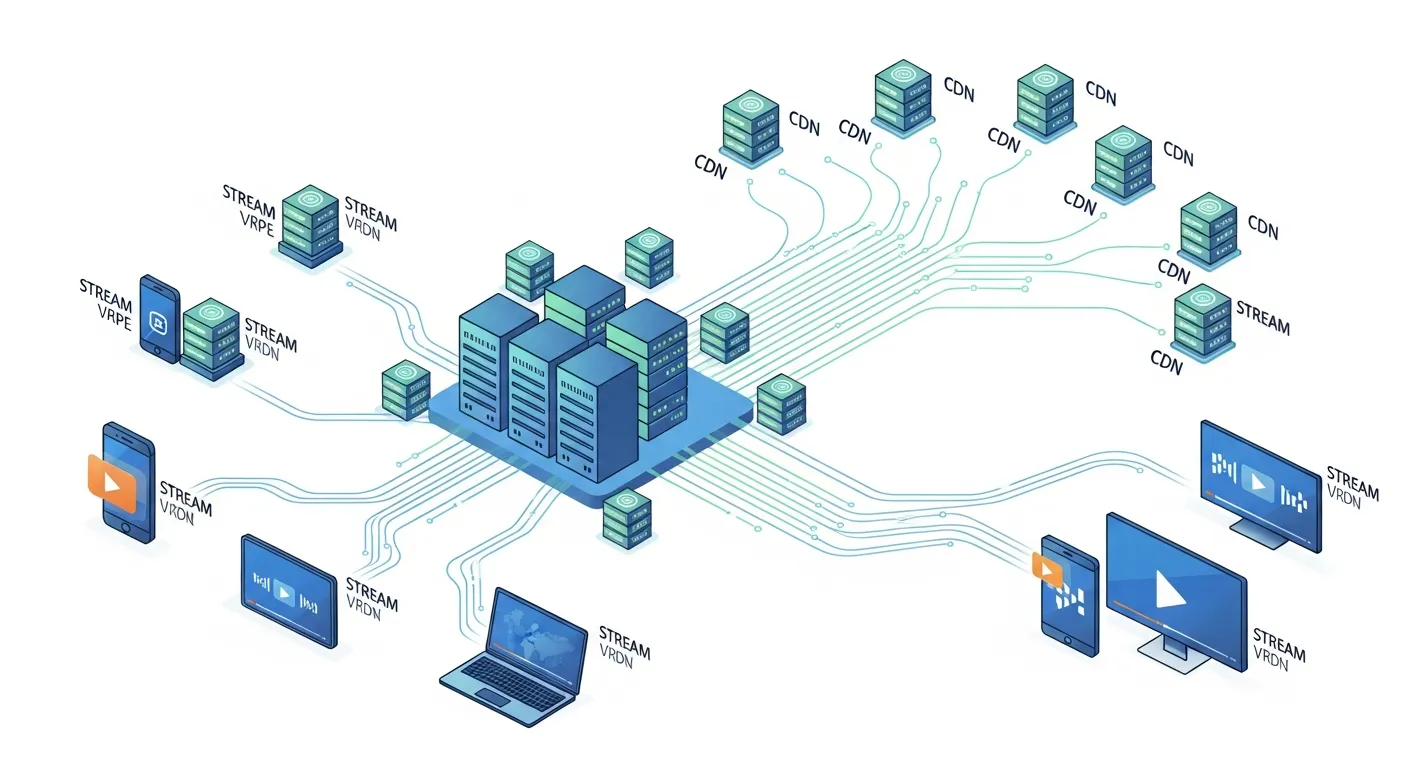
If a thousand people click the same stream link connected to a single server, that server will crash. Content Delivery Networks (CDNs) solve this problem. A CDN is a massive global network of servers that cache copies of the stream link data.
When you click a stream link, the CDN automatically routes your request to the server physically closest to you. This ensures fast load times and uninterrupted playback for the stream link. CDNs are the unsung heroes keeping every stream url link active and stable.
Why a Stream Link is Highly Beneficial
The shift from physical media to a stream link has brought massive advantages to both creators and consumers. A stream link eliminates physical boundaries.
Accessibility and Convenience
A stream link allows you to access thousands of hours of content instantly from any device. You no longer need massive hard drives to store your music and movie libraries. The media simply lives in the cloud, ready to be accessed via a simple stream link.
Global Reach and Distribution
For creators, a single stream url link can be shared globally. A musician broadcasting a live performance can be viewed simultaneously by fans across the world via one stream link. The distribution barriers that once existed have been completely dismantled by the stream link.
How to Find and Use a Stream URL Link
Whether you are building an app or trying to watch a broadcast, knowing how to handle a stream link is a valuable skill. Finding a reliable stream link takes a bit of practice.
Legitimate Sources for Stream Links
Always source your stream url link from legitimate providers. Platforms like YouTube and Vimeo offer official ways to share and embed their streams. Using a legitimate stream link ensures high quality and protects your device from malware.
Using a Live Streaming Link Generator
Sometimes creators need to build a custom stream url link for their audience. Using a live streaming link generator simplifies this process. A live streaming link generator takes your raw server feed and packages it into a shareable stream link format. This is especially useful for businesses hosting private webinars or independent broadcasters managing their own stream link delivery.
Tools and Software for Playing Links
Most web browsers can handle a modern stream url link natively using HTML5 video players. However, if you have a raw stream link, you might need dedicated software like VLC Media Player. You simply open the application, select “Open Network Stream,” paste your stream link, and the video will begin playing.
Challenges and Considerations
While streaming technology is incredibly advanced, relying on a stream url link still faces several hurdles. Managing a stream link requires technical vigilance.
Copyright and Intellectual Property
Because a stream url link is easy to share, it is often used to distribute pirated content. Content creators spend millions on Digital Rights Management to encrypt their stream link infrastructure. Protecting a stream link from unauthorized access remains a top priority for media companies.
Technical Challenges
Everyone has experienced the frustration of a buffering video. Technical challenges often arise from network congestion or server overloads affecting the stream link. Ensuring a stream url link remains stable requires adaptive bitrate streaming to accommodate varying internet speeds.
The Future of the Stream URL Link
The technology driving a stream url link continues to evolve at a rapid pace. We are already seeing the push toward 8K streaming, which will require an incredibly powerful stream link.
Artificial intelligence is changing how a stream link is delivered. Machine learning algorithms now analyze network conditions to predict and prevent buffering before it happens on your stream link. The future of the stream url link promises faster, clearer, and more interactive media delivery.
Frequently Asked Questions
What is a stream url link?
A stream url link is a specific web address that directs your media player to a continuous feed of data. Instead of downloading a full file, the link allows you to play the media in real-time. It breaks the media into small packets for instant viewing.
How do I open a direct stream URL m3u8?
You can open a direct stream URL m3u8 using a versatile media player like VLC. Simply open the software, navigate to the network stream option, and paste your link. The player will decode the m3u8 file and begin playback immediately.
Are all stream url links legal to use?
Not all links are legal; it depends entirely on the content being broadcast. Using a stream url link to watch copyrighted material without permission is illegal. Always ensure you source your links from legitimate, authorized platforms and broadcasters.
What is a live streaming link generator?
A live streaming link generator is a tool used by broadcasters to create shareable URLs for their live feeds. It takes the raw server data and converts it into a universally accessible link format. This helps creators easily distribute their broadcasts to their audience.
Why does my stream url link keep buffering?
Buffering usually occurs when your internet speed cannot keep up with the data packets sent by the stream link. It can also happen if the host server is overloaded with too many viewers. Lowering the video quality often resolves standard buffering issues.
What is the standard IPTV stream link format?
The standard IPTV stream link format is usually an M3U or M3U8 playlist file. This file contains text-based links pointing to various live television feeds and on-demand videos. Media players read this format to display a structured channel guide.
Can I extract a video stream URL online from a website?
Yes, you can often extract a video stream URL online by inspecting the webpage’s source code or using browser extensions. However, many major streaming platforms encrypt their links to prevent extraction. Always respect the platform’s terms of service when doing this.
How do I find safe internet radio stream links?
Safe internet radio links are typically provided directly on the broadcaster’s official website. You can also explore directories that compile legitimate audio streams. For excellent options, you can check out the best internet radio platforms to find high-quality audio feeds.
Is an RTMP link the same as an HLS link?
No, an RTMP link is generally used to send video from the creator to the server. An HLS link is used to deliver that video from the server to the final viewer. HLS is much better suited for modern web browsers and mobile devices.
Can a stream url link carry a computer virus?
While a media stream link itself is just delivering video or audio data, the website hosting the player can be dangerous. Malicious sites might use fake video players to trick you into downloading malware. Always use trusted media players and secure networks when streaming.